
We're rolling out a significant upgrade to the Fleet Chaser navigation.
This isn't just a cosmetic refresh. It's a rethink of how you move through the platform — built for the way fleet managers actually work.
What Changed (and Why It Matters)
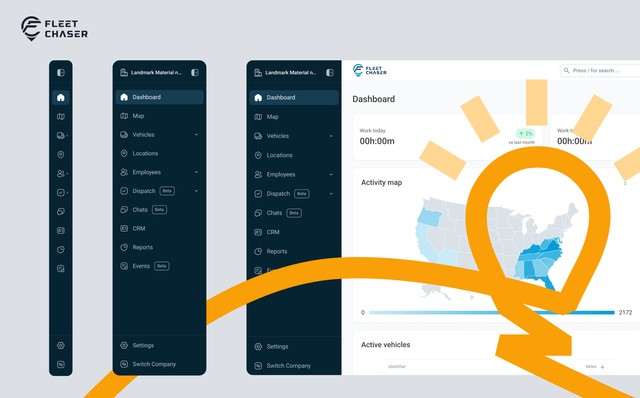
A New Look: Dark Theme + Refreshed Icons
The sidebar has a sleek new dark theme. It's easier on the eyes during long sessions, gives the interface a more focused feel, and helps the content in the main workspace stand out clearly.
Along with the new color scheme, we've redesigned the icon set throughout the navigation. Every icon is now more precise and consistent — so you can find what you're looking for faster, even in the collapsed state.
Grouped Sections: Less Clutter, More Clarity
Previously, every module lived as a standalone item in the sidebar — Vehicles, Employees, Dispatch, Cameras, Tasks, Chats, and so on. It worked, but as we've added more features, the list kept growing.
Now, related items are grouped under expandable parent sections:
- Vehicles → Vehicle List, Cameras, Live Share
- Employees → Employee List, Time Approval
- Dispatch → Projects, Tasks
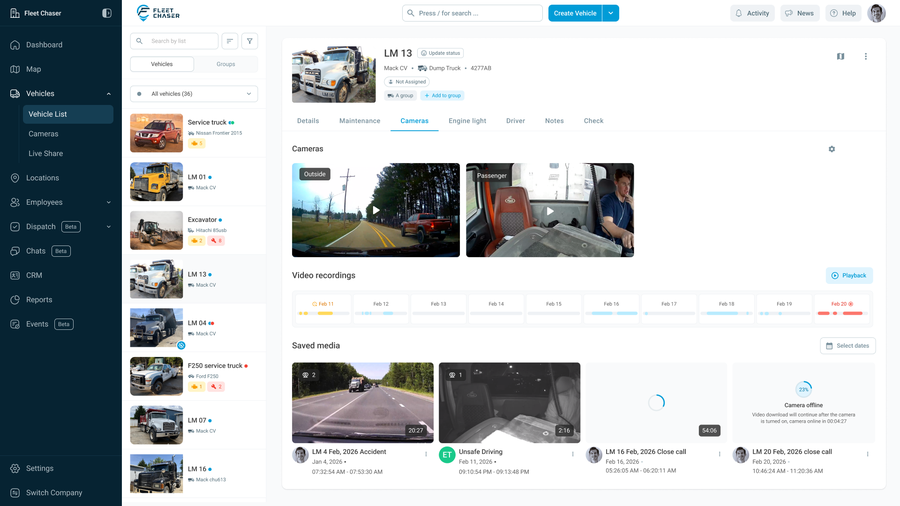
This way, the sidebar stays clean by default, and you drill into exactly what you need. No more scrolling past things you're not using.
Vehicle List and Employee List: Now Explicitly Named
Two of the most-used pages in Fleet Chaser — the Vehicle List and Employee List — now have dedicated, clearly labeled spots inside their sections.
Vehicle List lives under Vehicles, right alongside Cameras and Live Share. Employee List lives under Employees, next to Time Approval. They haven't moved far — but having them explicitly named in the submenu means no guessing, no extra clicks to figure out where to go.
Hover over the icon, see exactly what's inside, click what you need.
Dispatch Now Has Its Own Home
This one deserves a special mention. Dispatch has been one of the most actively developed parts of Fleet Chaser — and it was overdue for a proper place in the navigation.
Projects and Tasks now live under Dispatch as dedicated sub-items. Whether you're assigning work, tracking progress, or managing multiple crews across job sites — everything is in one logical place, one click away.
As Dispatch continues to grow, this structure gives it room to expand without cluttering the rest of the sidebar.
Two States for the Sidebar
One of the most practical additions: the sidebar now has three distinct display states.
1. Collapsed (icon-only) — maximum workspace, navigation visible but minimal
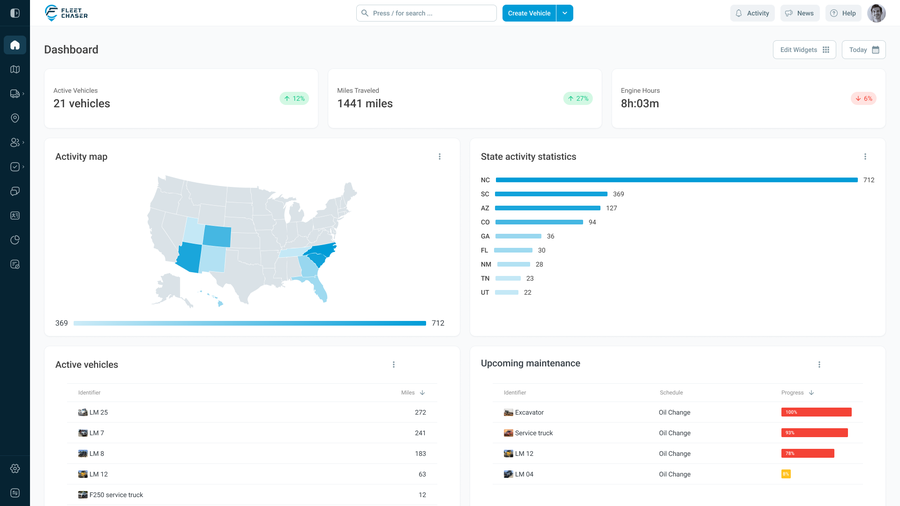
2. Expanded (icons + labels) — the familiar full sidebar
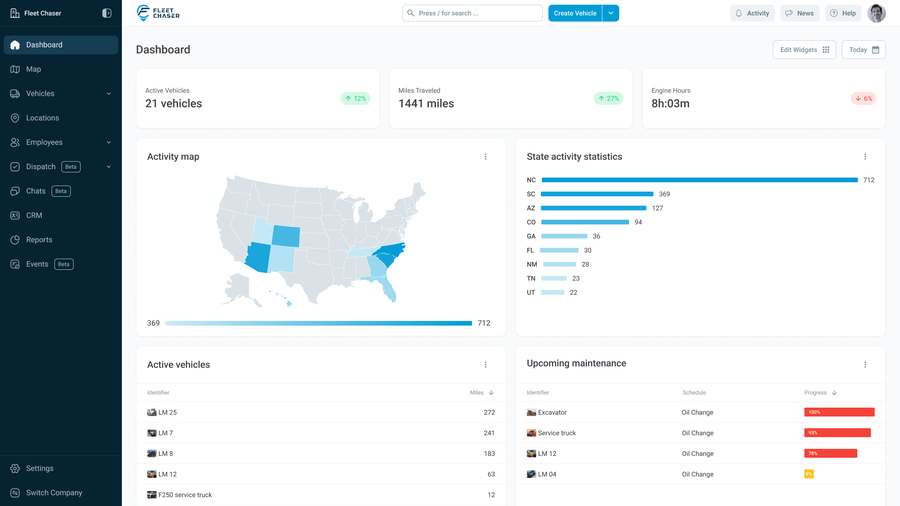
You can hover to peek into a section without fully committing to it, or pin it open when you're working in one area for a while. It's a small thing that makes a big difference when you're switching contexts frequently throughout the day.
Quick Guide: Where Things Moved
We know it's frustrating when a button you've clicked a hundred times suddenly isn't where you left it. Here's the full picture:
- Vehicle List → now under Vehicles
- Cameras → now under Vehicles
- Live Share → now under Vehicles
- Employee List → now under Employees
- Time Approval → now under Employees
- Projects → now under Dispatch
- Tasks → now under Dispatch
Everything is still there — just grouped with the things it belongs with.
Before vs. After
The old navigation (light background, flat list of all modules) was a solid foundation. But as Fleet Chaser grew — with Tasks, Events, Dispatch, Cameras, and more — it needed to evolve.
The new navigation is built for the full platform, not just the early version of it. Every addition we ship going forward has a clear home.
Try It Now
Log into your Fleet Chaser account — the new navigation is live. Give it a few minutes to get used to the groupings, and we think you'll settle right in.
As always, we're listening. If something feels off or you have feedback, hit us up.