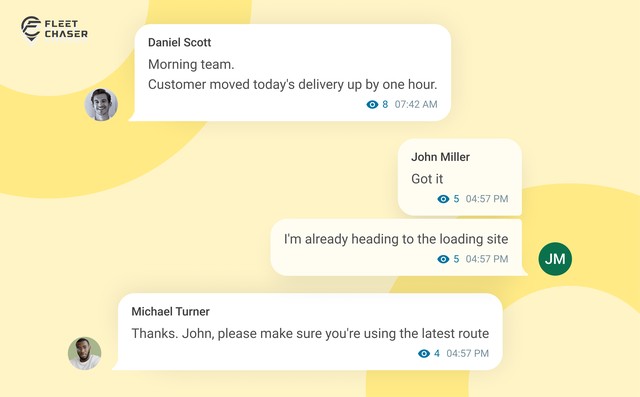

Your crew and your office shouldn't need a second app — or a pile of group texts — to stay on the same page. Fleet Chaser chat keeps every conversation right next to the routes, tasks, and time clock your team already works in. Over the past few months we've made it clearer to use and steadier out in the field. Here's what that means for your team.
✨ Reply to the right message
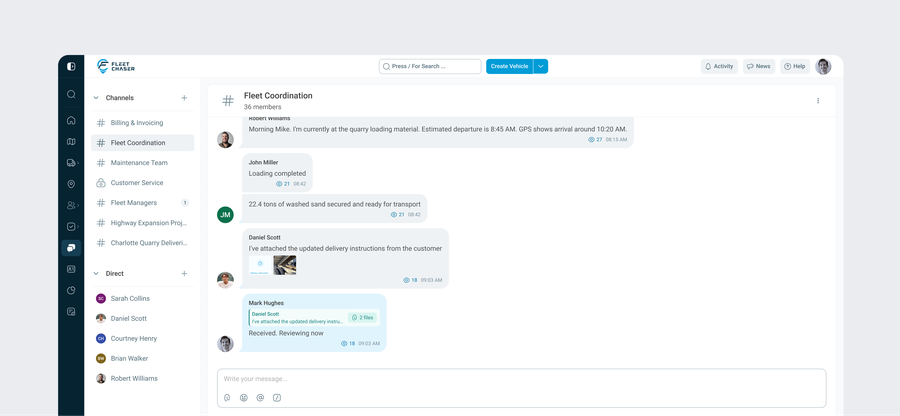
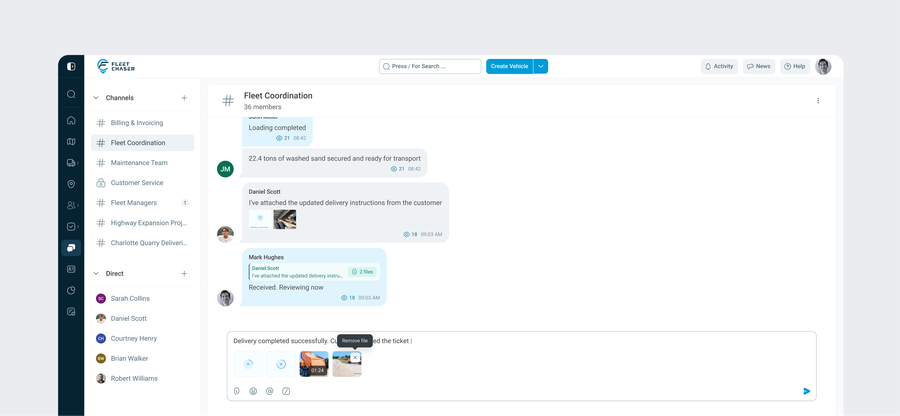
When a channel is busy with updates from the whole crew, it's easy to lose track of who's answering what. Now you can reply straight to a specific message, with the original quoted right above your answer. Everyone sees the context at a glance, so it's clear what each reply is about. Edit the original message later and the quote keeps up on its own.
⚡ Clearer messages, easier sharing
Getting your point across in chat is simpler now — and it looks the same everywhere you type, whether that's a channel or a note on a task. For your team that means:
- Format longer updates so they're easy to read at a glance.
- Share photos, files, and videos with a clear preview first, so what the crew sees in the field is what you meant to send.
- Send with a single tap of Enter, and type comfortably on a phone without the keyboard getting in the way.
Fast, even when chat is busy
Conversations open quickly and stay smooth to scroll, even in your most active channels with months of back-and-forth.
A steadier connection in the field
Out on a job, connections drop and phones go to sleep. Chat now reconnects on its own when that happens, so there's less time spent wondering whether a message went through. And every direct conversation stays in one place, so it's always clear where to find the answer.
Got feedback or an idea for chat? Drop us a note in support — we're always making it better.