
TL;DR: A construction dispatcher's day quietly fills up with the same four calls — "where are you?", "did you finish?", "when's the truck coming?", and "wait, which site?" None are emergencies. Together they burn roughly two hours a day and leave no record of anything. The fix isn't a bigger phone plan — it's moving the routine status check off the call and into an app the crew already has open. Start with one change, not a rip-and-replace.
It's 10:40 a.m. and your dispatcher has already made or taken 47 phone calls since the trucks rolled out.
Not one of them was an emergency. A driver checking which gate to use. A foreman asking if the second crew is on site yet. A customer wanting to know when the load arrives. A manager asking whether the morning job actually got finished. By lunch the dispatcher has been a human switchboard for half a shift — and the afternoon looks the same.
This is the hidden tax on a growing construction or field service operation. Nobody puts "answer 90 phone calls" in a job description, but that's the job. And it doesn't scale: 15 trucks is manageable on the phone, 30 is chaos, 50 is a second dispatcher you shouldn't need to hire.
Where does a dispatcher's two hours actually go?
The two hours aren't one long call — they're a hundred small ones, each pulling the dispatcher off whatever they were doing. Here's a typical breakdown for a 25-40 truck construction fleet (illustrative, but it'll feel familiar):
- "Where are you / are you on site yet?" status checks — about 45 min/day
- "Did you finish? Did the customer sign? Send me a photo." — about 25 min/day
- Relaying ETAs to customers who called in — about 20 min/day
- Re-explaining the job (wrong address, lost details, re-sending the route) — about 20 min/day
- Reassigning or re-routing when the day changes — about 15 min/day
That's about two hours and five minutes, every day, on information that mostly already exists somewhere — it's just locked inside someone's head and only retrievable by ringing them.
Why phone-based dispatch breaks at scale
Three reasons the phone breaks down as the fleet grows — and none of them get better by being faster on the dial.
Every call is an interruption. A status check takes 90 seconds, but the context-switch costs more than that. The dispatcher was mid-route-plan, the phone rings, and now they've lost their place. Multiply that across a morning of them and the real cost isn't the talk time — it's a day with no uninterrupted stretch to actually think ahead.
The context evaporates. "He told me he'd be there by two" is not a record. When the customer disputes the arrival time, or a crew swears the job was finished, there's nothing to point to. The information lived in a phone call and the phone call is gone.
There's no audit trail. No timestamp on when the truck reached the site, no proof of when the work was logged, no defensible record when a billing dispute or an accident claim lands. For construction — where on-site time is the invoice and a disputed claim can get costly fast — that missing trail is expensive.
Start with one change, not a rip-and-replace
The mistake is trying to kill all 90 calls at once with a big new system nobody's ready for. Don't. Pick the single biggest bucket — the location check — and move just that one off the phone.
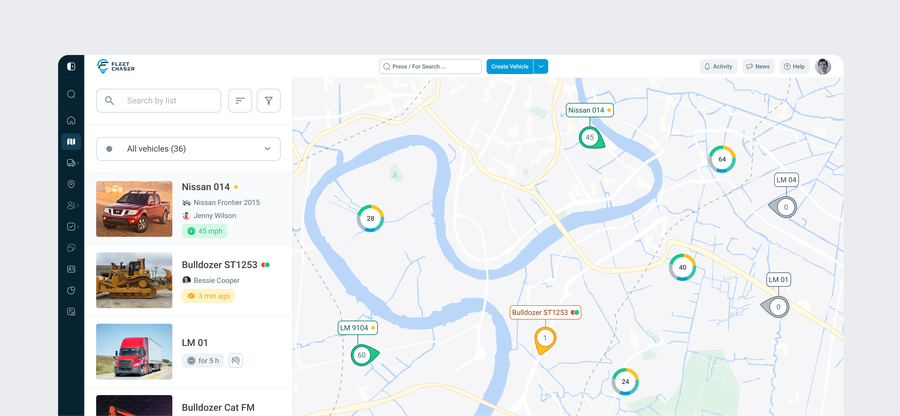
When the dispatcher can see every truck on a live map, with real-time status updating every five seconds, the most common call of the day drops off fast. That alone is the ~45-minute chunk above. You haven't changed how anyone works — you've just stopped making people phone in something a screen can show.
Once that's gone and the crew is used to glancing at the app, the other buckets fall in order: task status replaces "did you finish?", a customer link replaces the ETA relay, and the full job on the driver's phone replaces "re-send me the address."
What real-time dispatch looks like in practice
Here's the same dispatcher's morning once the routine calls move into the workflow instead of onto the phone.
See the fleet, don't call it. The Live Map shows every truck and piece of equipment with live status — Traveling, Idling, Stopped — updating every five seconds. "Are you on site yet?" is answered before anyone picks up the phone.
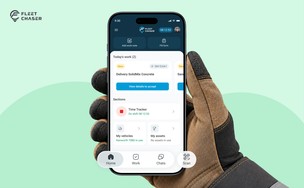
Assign the job, get an acknowledgment — no call. A dispatch task carries the full job: address, route, attachments, the crew assigned to it. The driver taps to acknowledge it on their phone. The dispatcher knows it landed without confirming verbally. When a job has to move to another crew mid-day, it transfers with the address, route, and attachments intact — no re-typing, no re-explaining.
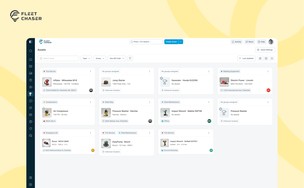
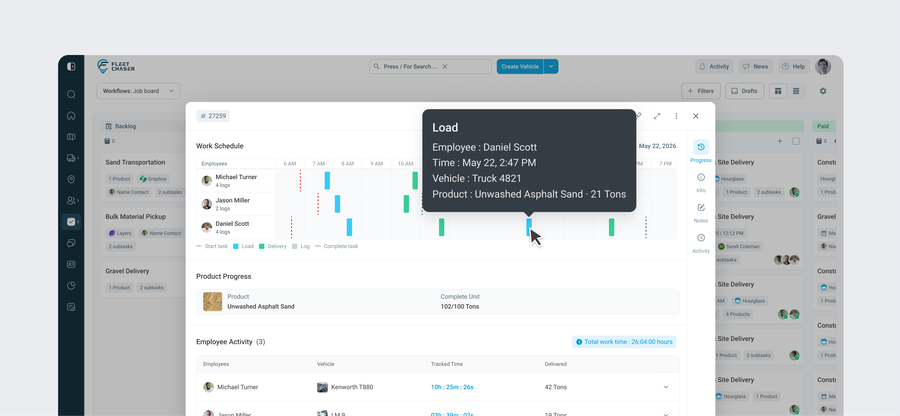
Watch progress instead of chasing it. As the crew works, the task logs what's done, when, and by whom — with photos and notes attached on site. "Did you finish?" becomes a glance at the Progress view, not a phone call and a promise.
Quiet by default, loud when it matters. Notifications are tuned so routine status updates stay silent and only the things that need a human — a job blocked, an after-hours move, an urgent reassignment — actually buzz. The dispatcher isn't drowning in pings; they get pulled in only when there's a decision to make.
Let customers track themselves. Instead of relaying ETAs by phone, send a Live Share link — an Uber-style trackable URL with a live location and arrival time. Customers stop calling for status because they can see it. One Fleet Chaser customer running 30 trucks says the link lets them "give clients better timing" without tying up the office answering ETA questions.
Replace the SMS pile-up with one channel. Crew coordination moves into Chat, where you can reply to a specific message, share photos with previews, and stay connected with automatic reconnect when the signal drops — instead of scattered texts across a dozen personal numbers that vanish when someone changes phones.
"My drivers won't use an app"
It's the objection that comes up most — and the honest answer is that adoption is real, but smaller than people fear, as long as you keep the ask small.
Drivers already live on their phones. The barrier isn't the device, it's being handed a complicated tool and told to "fill everything out." So don't. Day one, the only thing a driver has to do is tap to acknowledge a job and let the GPS run in the background. That's it. No forms, no training day. The dispatcher gets the visibility from the map and the acknowledgment alone, which already kills the biggest call bucket.
Add the rest gradually — logging completion, attaching a photo, marking a stop done — once the habit is set. Crews adopt fast when each step visibly saves them a call too: the driver who stops getting interrupted with "where are you?" every twenty minutes starts asking to put the rest of the crew on it. And because pricing is per vehicle with unlimited users, putting every crew member, manager, and mechanic on the app costs nothing extra — there's no per-seat charge that grows every time you add someone.
Win back half of it
Two hours a day is roughly a quarter of a dispatcher's shift spent being a switchboard. Win even half of it back and you've freed a person to plan routes, handle the genuinely hard calls, and absorb fleet growth without a second hire — while finally having a timestamped record behind every job and every customer arrival.
You don't have to overhaul anything to start. Put the trucks on a map, move the status check off the phone, and let the rest follow.
If you're earlier in the process and still comparing tools, our guide on how to choose fleet management software for a small construction company walks through what to evaluate — and dispatch is the first thing on the list.
Want to see it on your own fleet? Book a demo — bring your asset mix and a typical job, and we'll show you the dispatcher's morning with the phone calls taken out of it.
Frequently asked questions
How much time do dispatchers waste on phone calls?
Around two hours a day on a 25-40 truck construction fleet. That time goes to routine coordination calls — status checks, completion checks, customer ETA relays, and re-explaining jobs — most of it information that already exists (a truck's location, a task's status) and is only retrievable by calling someone. Moving the routine status check to a live map and app typically removes the single largest chunk first.
How do you reduce dispatch phone calls?
Don't try to eliminate every call at once. Start with the most frequent one — the "where are you / are you on site yet?" status check — by giving the dispatcher a live GPS map of the fleet. Then replace "did you finish?" with a task Progress view the crew logs on site, replace customer ETA calls with a shareable live-tracking link, and put the full job (address, route, attachments) on the driver's phone so nothing needs re-explaining.
What's the best way to handle field service communication without constant calls?
Move routine, factual updates out of phone calls and into a shared system: live location instead of "where are you?", task acknowledgment instead of confirming verbally, on-site progress logs instead of "did you finish?", and a single chat channel instead of scattered texts. Keep notifications quiet for routine status and loud only for things that need a decision, so the team isn't buried in pings.
Will drivers actually use a dispatch app?
Adoption works best when the day-one ask is tiny — tap to acknowledge a job and let GPS run in the background, with no forms to fill. The dispatcher gets visibility from the map and the acknowledgment alone, and crews adopt faster once they notice the interruptions stop. Add logging and photos gradually after the habit is set. Per-vehicle pricing with unlimited users means putting the whole crew on the app costs nothing extra.
Time figures above are illustrative arithmetic based on typical small-construction-fleet dispatch patterns, not a measured study. Your numbers will vary with fleet size and how your dispatch runs today.