



VINs / 1999 / Peterbilt / 567 / 1XPCDU9X4XN501817
1999 Peterbilt 567
Vin:
1XPCDU9X4XN501817
Type:
Truck-Tractor
Year:
1999
Make:
Peterbilt
Model:
567
GVWR:
?

Engine
Manufacturer
Caterpillar
Model
C12/C13
Drive Trian
Type
6x4
Manufacturer
Manufacturer
PETERBILT MOTORS COMPANY
Plant Company
Peterbilt
Plant City
MADISON
Plant State
TENNESSEE
Plant Country
UNITED STATES (USA)
Safety Features
Brake System Type
Air
Do you manage a fleet?
FleetChaser will help you track:
- Mileage and maintenance
- Filling and expenses
- Real-time technical condition
Learn More
You'll never want to go back to how your fleet operated before Fleet Chaser
Our construction fleet management software makes your fleet management better, safer, and easier.
Construction and Fleet Management Articles

But your drivers may need to be on board with that decision. How do you do what’s best for your drivers and fleet without harming driver trust while juggling legal concerns?
Not to worry. Here are crucial points to keep in mind in your efforts to equip your fleet with dash cams while preserving driver privacy:

Managing a fleet is not just about tracking vehicles—it’s about staying informed, reacting instantly to critical events, and making better business decisions. That’s why we are launching the Fleet Chaser Event System, a powerful, customizable tool that lets you create rules tailored specifically to your company’s needs and receive real-time alerts when key events occur.

Managing a fleet isn’t just about tracking dots on a map. It’s about knowing exactly what’s happening — and reacting before small issues become big problems. That’s why we rebuilt and expanded the Fleet Chaser Events System. Now, with a cleaner interface and more flexible rules, Events is open to every Fleet Chaser customer.
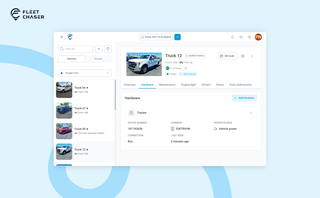
A vehicle now goes into Fleet Chaser in one step, before its tracker arrives. The new Hardware tab connects the tracker or camera later, and the Driver card can check a driver out.

Managing fleets, tasks, and data just got a lot easier! The Fleet Chaser dashboard has been completely redesigned to improve usability and bring a game-changing feature: Customization.

Compare 8 dispatch platforms for US construction fleets — features, pricing, and which fits a 10-vehicle vs 50+ fleet. Includes Samsara, Fleetio, Procore.

Forms is live in the Console, and the questions in it are yours. Write what your business needs to know, point it at the trucks it applies to, and publish.

Permissions decide who on your team can see and do what. Admins can do everything; everyone else gets access through groups you build, so each role gets exactly what it needs and nothing more. Here is how to set it up in the Console under Employees.

Assets is a new Console section for the things that are not vehicles. Give a tool a QR sticker, see where it was last scanned, and let your crew sign it out by filling a form on the phone.