


VINs / 2016 / Ford / Expedition / 1FMJU1HT6GEF11721
2016 Ford Expedition
Vin:
1FMJU1HT6GEF11721
Type:
Sport Utility Vehicle (SUV)/Multi-Purpose Vehicle (MPV)
Year:
2016
Make:
Ford
Model:
Expedition
Series:
XLT/King Ranch
GVWR:
?

Engine
Manufacturer
Ford
Model
GTDI
Fuel
Gasoline
Fuel(Secondary)
Flexible Fuel Vehicle (FFV)
Fuel Injection Type
Stoichiometric Gasoline Direct Injection (SGDI)
Horse Power
365
Displacement(Liters)
3.5
Cylinders
6
Configuration
V-Shaped
Turbocharged
Yes
Drive Trian
Type
4x2
Manufacturer
Manufacturer
FORD MOTOR COMPANY
Plant Company
Kentucky Truck
Plant City
JEFFERSON COUNTY
Plant State
KENTUCKY
Plant Country
UNITED STATES (USA)
Safety Features
Air Bag Location(Front)
1st Row (Driver and Passenger)
Air Bag Location(Sides)
1st and 2nd and 3rd Rows
Seat Belts(All)
Manual
Brake System Type
Hydraulic
Do you manage a fleet?
FleetChaser will help you track:
- Mileage and maintenance
- Filling and expenses
- Real-time technical condition
Learn More
You'll never want to go back to how your fleet operated before Fleet Chaser
Our construction fleet management software makes your fleet management better, safer, and easier.
Construction and Fleet Management Articles

Route Planning turns a multi-stop job from "an address typed into the task description" into a real itinerary you draw on a map. Color-coded Load, Delivery, and Job Site checkpoints, drag to reorder, addresses or saved Locations, and an Employee App that walks the driver through the route in order — including the Job Site stops that hold the line until the work there is logged.
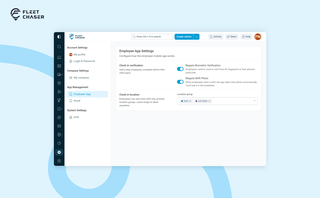
Clock-in checks for the Time Clock: biometric verification, a face-checked shift photo and work locations, with each finding marked in Time Approval.

The way teams collaborate is changing. Whether you're coordinating field crews, managing office projects, or overseeing multi-location operations, the old methods of sticky notes, phone calls, and endless email chains just don't cut it anymore.
We're excited to announce the launch of Tasks – a revolutionary feature that transforms how your entire organization plans, assigns, and completes work. This isn't just about field operations; it's about creating seamless workflows across every department, every role, and every location in your business.
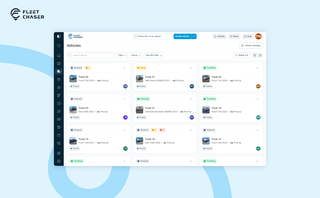
The Vehicles section moves to the new layout: a full-width list you can search and filter, a page for every vehicle, and vehicle groups in one table.

You’ve got all this data coming from your fleet vehicles on maintenance, fuel, and mileage, but it feels like navigating through a maze with no map to guide you. You know tracking the right fleet metrics is crucial, but where do you even begin and what really matters? Read this article to learn about the key KPIs that tell you whether your fleet is on track or heading for trouble.

Scrub a whole day on a timeline of thumbnails, jump anywhere without the video starting over, cut the minutes you need into a clip you can download — and finally get a straight answer when a camera won't show you live video.

The last activity view is already in your account. This feature enables you to instantly view info on trucks’ activity in certain locations. No need to search info on the last activity manually: it will be displayed neatly right next to each location’s name. Stay updated and have a nice day ahead!

Most "fleet management software" was built for long-haul trucking or service vehicles — construction is the asset-mixed reality in between, and most vendors treat it as an afterthought. Here are the four capabilities that actually matter for a construction fleet, starting with dispatch, plus an honest vendor-by-vendor look at how Samsara, Motive, Fleetio, Verizon Connect, Tenna, and Fleet Chaser handle each.

What does it take to develop a fleet management budget that will support you on the way to your business goals? In this short guide will cover the determining aspects you should keep in mind and strategies to employ when drawing up a fleet budget.
But first, let’s clarify — why is it imperative to have one? 🤔