


VINs / 2019 / Nissan / Altima / 1N4BL4EV0KC172192
2019 Nissan Altima
Vin:
1N4BL4EV0KC172192
Type:
Sedan/Saloon
Year:
2019
Make:
Nissan
Model:
Altima
Trim:
Grade SL
GVWR:
?

Engine
Fuel
Gasoline
Displacement(Liters)
2.5
Drive Trian
Type
4x2
Axles
2
Wheels
4
Manufacturer
Manufacturer
NISSAN NORTH AMERICA, INC.
Plant Company
Nissan North America Inc.
Plant City
SMYRNA
Plant State
TENNESSEE
Plant Country
UNITED STATES (USA)
Safety Features
Air Bag Location(Front)
1st Row (Driver and Passenger)
Air Bag Location(Sides)
1st Row (Driver and Passenger)
Seat Belts(All)
Manual
ABS (Antilock Braking System)
Standard
ESC (Electronic Stability Control)
Standard
Other Restraint System Info
Driver and Passenger Frontal Air Bags, 3-Point Manual Belts, Side Air Bags, Curtain Side Air Bags and Knee Air Bags; 2nd row outboard 3-Point Manual Belts and Curtain Side Air Bags, 2nd row center 3-Point Manual Belts
Do you manage a fleet?
FleetChaser will help you track:
- Mileage and maintenance
- Filling and expenses
- Real-time technical condition
Learn More
You'll never want to go back to how your fleet operated before Fleet Chaser
Our construction fleet management software makes your fleet management better, safer, and easier.
Construction and Fleet Management Articles
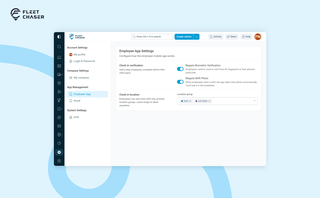
Clock-in checks for the Time Clock: biometric verification, a face-checked shift photo and work locations, with each finding marked in Time Approval.

Unexpected downtime presents a tangible setback for your fleet. Not only is your asset now off the road, but you have to tweak your operations and allocate finances to accommodate for it.

Time Approval now opens a full Session Details view of every shift before you sign off, and the new Pay Period screen turns approved hours into a click-to-pay workflow. Together they cover the whole stretch from clock-out to paycheck — without leaving Fleet Chaser.

In most operations, the plan and the work live in different places. The plan's on a board, or in a dispatcher's head. The work's out on a site, in a truck, spread across locations. And whatever actually happened comes back later in pieces — a phone call, a half-remembered note, a photo that never got sent.
Tasks v2 closes that gap. You set up the work the way your business runs it, your crew does it from their phone, and when it's done you open the task and see exactly how it went — who did what, when, how much — without calling anyone to ask.
It doesn't much matter whether you dispatch field crews, haul materials between sites, run service calls, or coordinate office work across locations. The point of Tasks v2 is that it bends to your process instead of forcing you into someone else's.

Fleet Chaser chat keeps every conversation right next to the routes, tasks, and time clock your team already works in. Over the past few months we've made it clearer to use and steadier out in the field — reply to specific messages, share files with cleaner previews, and stay connected even when the signal drops.

We've launched Time Clock, a fully integrated system that lets employees track their time with clarity — and gives managers the tools to approve and manage everything without the guesswork.
Built into both the Employee App and the Console, this feature helps eliminate timesheet chaos and brings structure to your team's day-to-day work tracking.

QR Codes are live in Fleet Chaser. Drivers scan a sticker on any vehicle to jump straight into the right inspection — no searching, no typing — and managers link a code to a vehicle right from the Console in seconds.

Fleet management requires the handling and analysis of numerous metrics and variables, which can quickly get out of hand and clutter your desk with piles of hard-to-access information. Compiling reports, communicating with employees, contractors, and drivers, etc., should be intuitive, all laid out in a simple, visual way.
This is where fleet management software comes in.
